
get it done in 3 steps

Your Plan is


Waiting

Weekly Table builds your week from your recipes and our mom-tested ones, sizes it to your family, and hands you the grocery list. Nothing to build. Nothing to figure out.

FREE FOR 14 DAYS, THEN $5/MONTH OR $45/YEAR

Your Recipes, Ours, or Both

Finally, a meal planning tool that lets you bring in all of your recipes and plans with them. Need new inspiration? Browse our collection of our curated favorites, organized by pack.
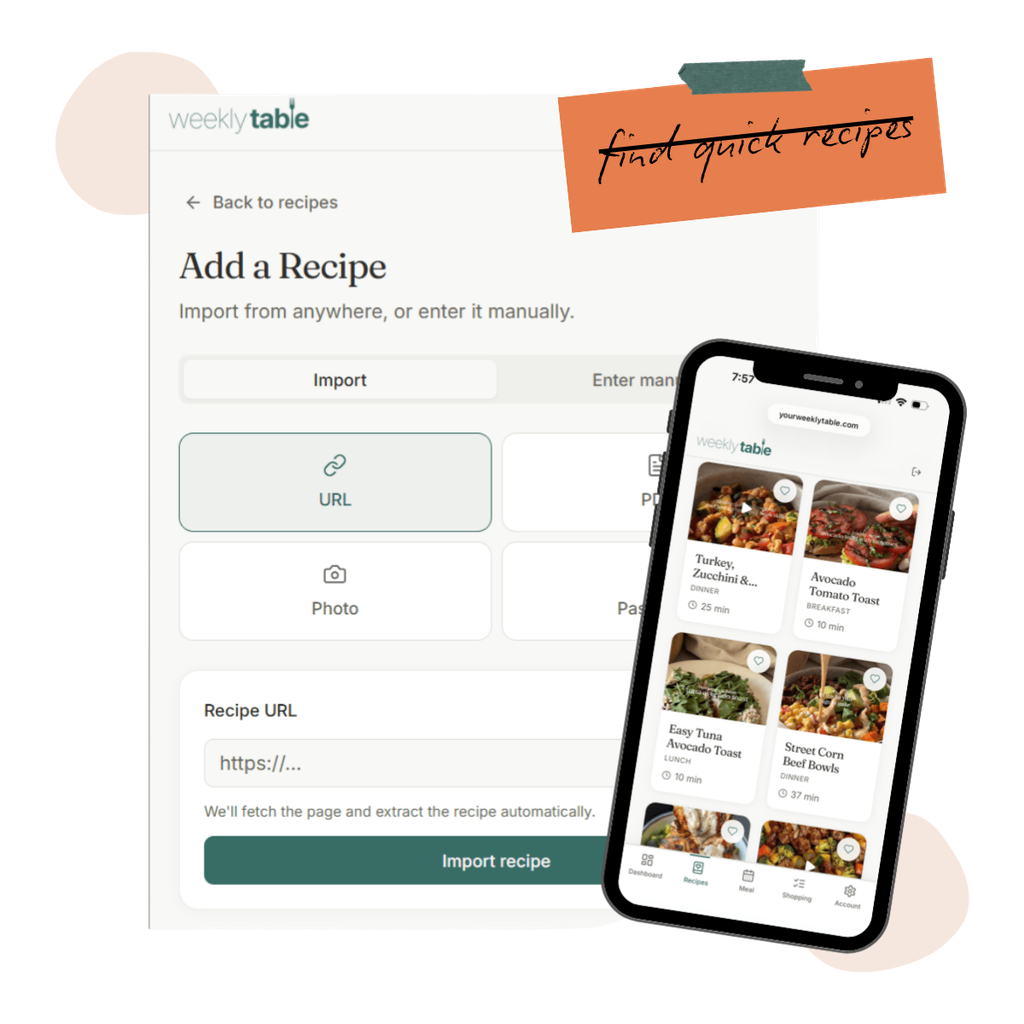
  • Import any recipe from a link, a photo, a PDF, or pasted text. Grandma’s handwritten recipe card. The Substack post you saved. The Pinterest one you’ve made 40 times.
  • Search our database of tested recipes to find new potential favorites, with the option to filter based on recipe type
  • Tweak ingredients, add your own notes, and update photos to make every recipe truly yours.
Weekly Table Recipe Box
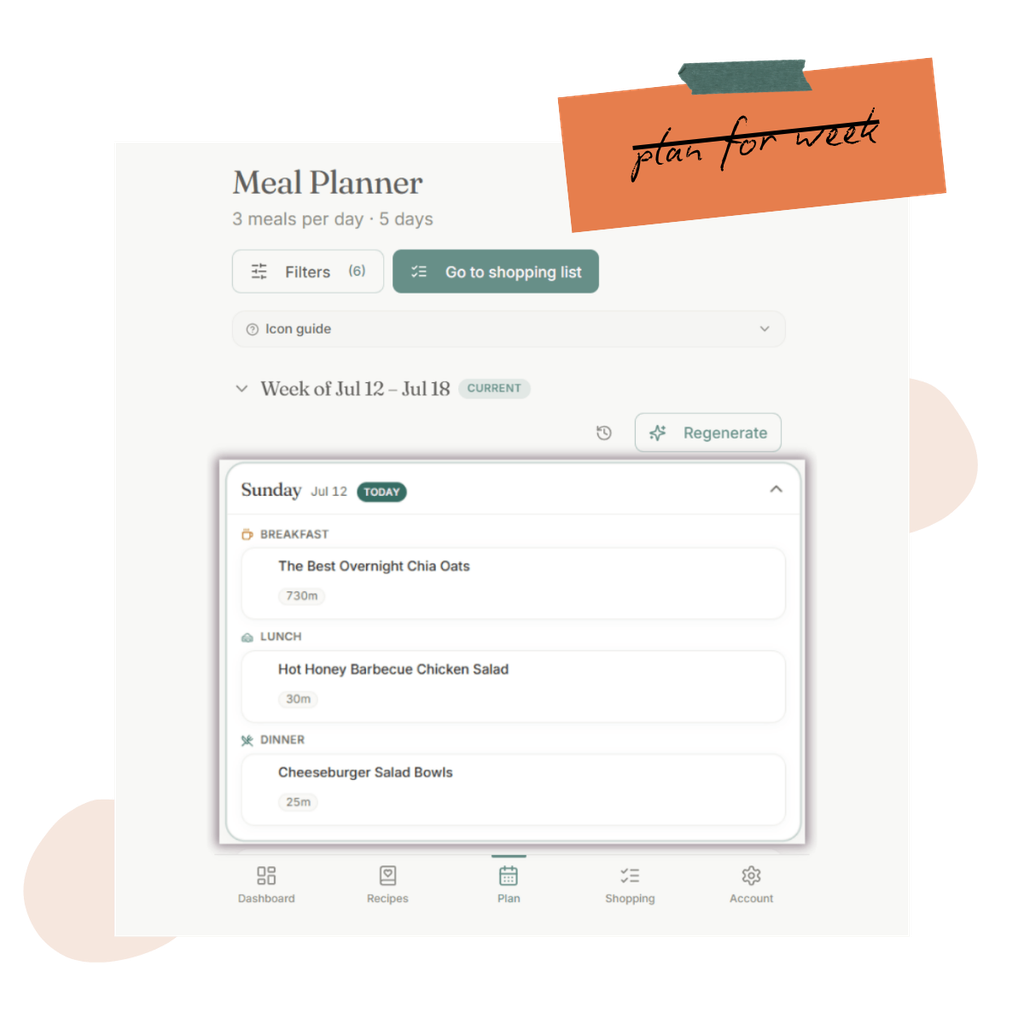
Weekly Table Meal Planner

Your Meal Plan, Built For You

Each week, your meal plan gets built. Emailed to you and ready to view in the meal planning app, so you can give it a quick look and move on with your day.

  • Scale recipes based on serving sizes, either for every recipe or for certain meal slots.
  • Plan around your life, with the option to choose which days and what meals you plan for, and always have the option to plan leftovers
  • Add multiple meals, so if your kids only want chicken nuggets for every meal, you can plan for everyone in your family

Your Grocery List, Ready to Shop

Built on your meal plan, your grocery list includes ingredients grouped together so you don’t have to combine eight different “berry” options.
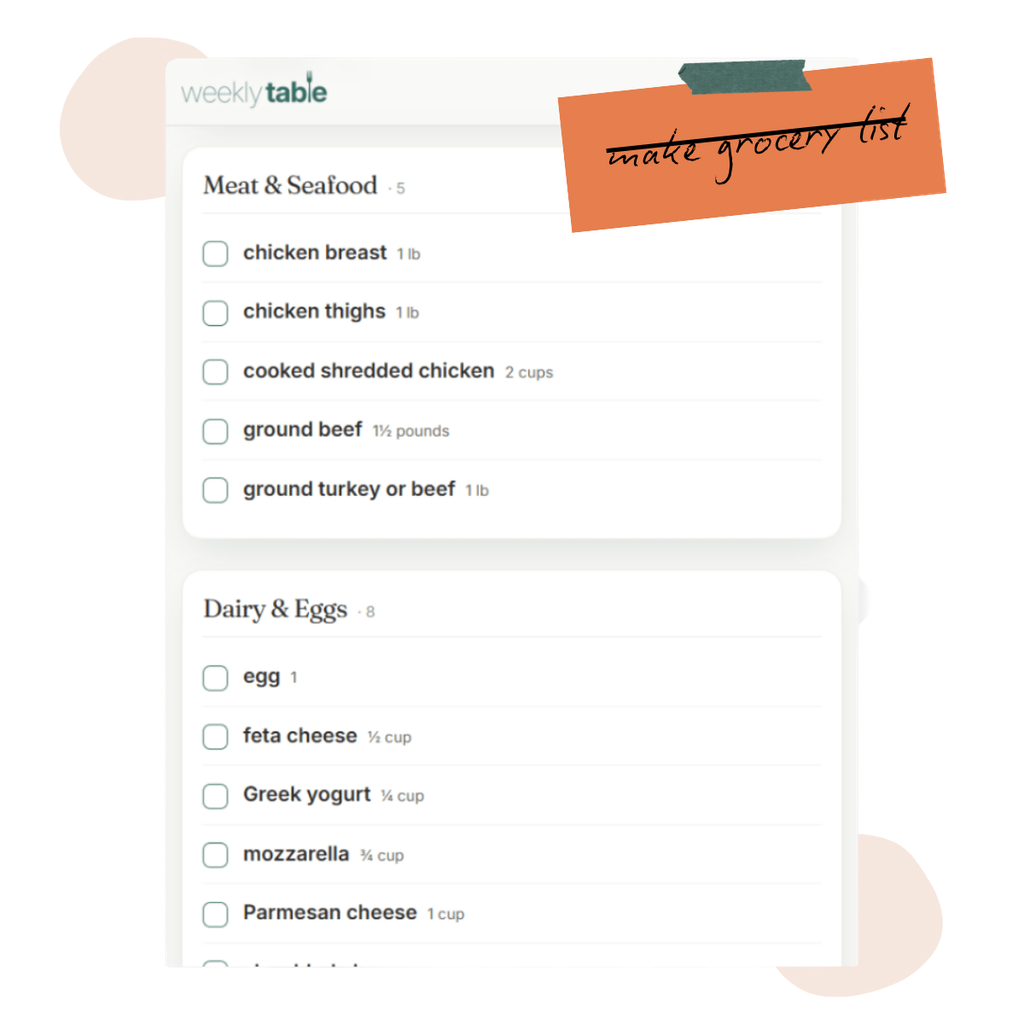
  • See your grocery list, automatically built from your meal plan – with duplicated ingredients consolidated
  • Add anything else you may need for the week with the ability to add ingredients not from your recipe list.
  • Shop efficiently in the store, with categories aligned with grocery store shopping for faster trips
Weekly Table Grocery List

Everything You Need, No Decisions Required

Digital Recipe Box

Looking for what to cook in your inbox, pantry, and stack of cookbooks? Simplify your life with our digital recipe box, which lets you bring in any of your favorite recipes to fuel your meal plan.
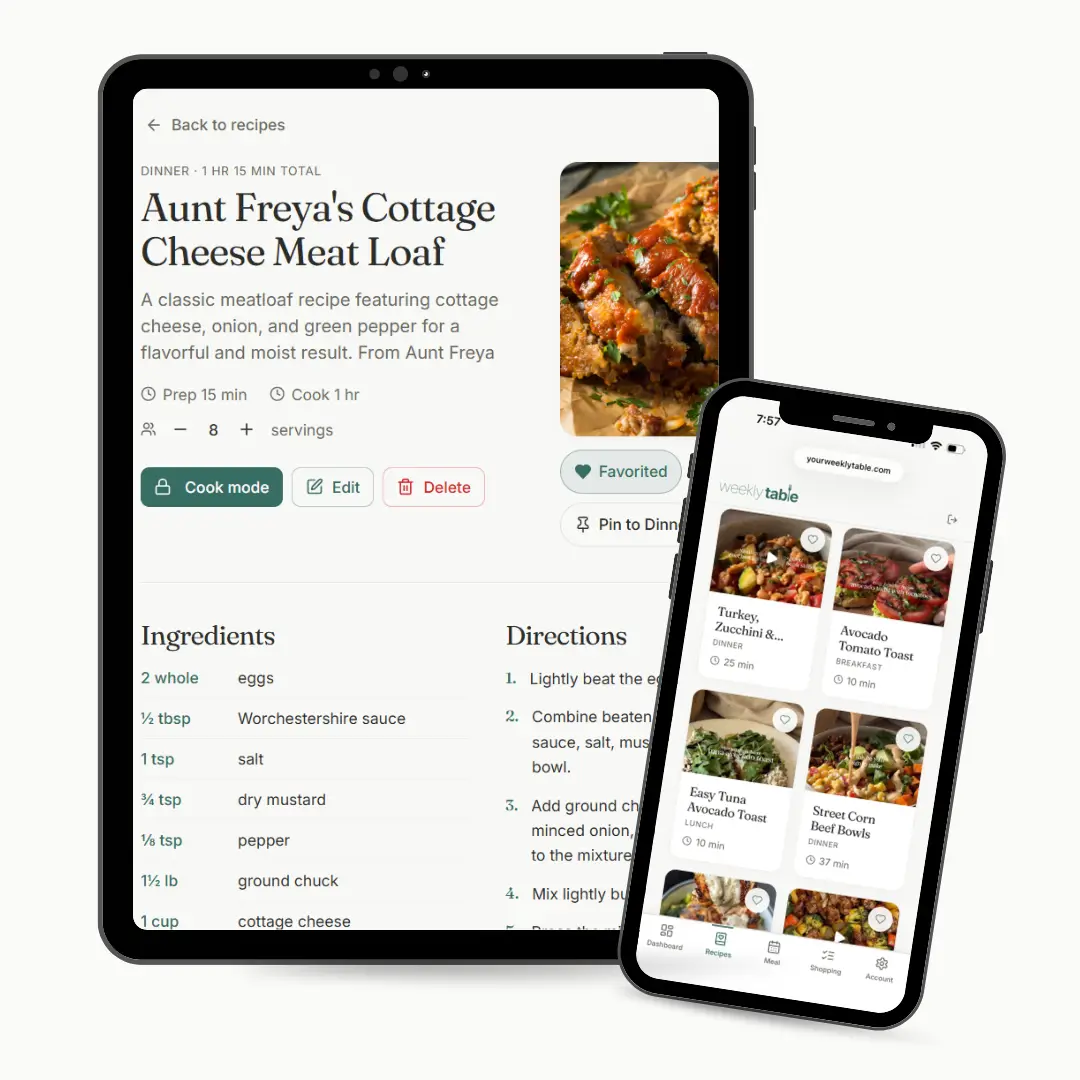
Weekly Table Recipe Card with Aunt Freya's Cottage Cheese Meat Loaf

Meal Plans, Already Built

Build a meal plan that you can use. Choose how many people you usually cook for and our smart meal planner will take your chosen recipes and build a meal plan that hits.

Update serving sizes by meal, align with dietary restrictions, or focus on quick meals. Whatever your family needs,

Weekly Table handles it for you.
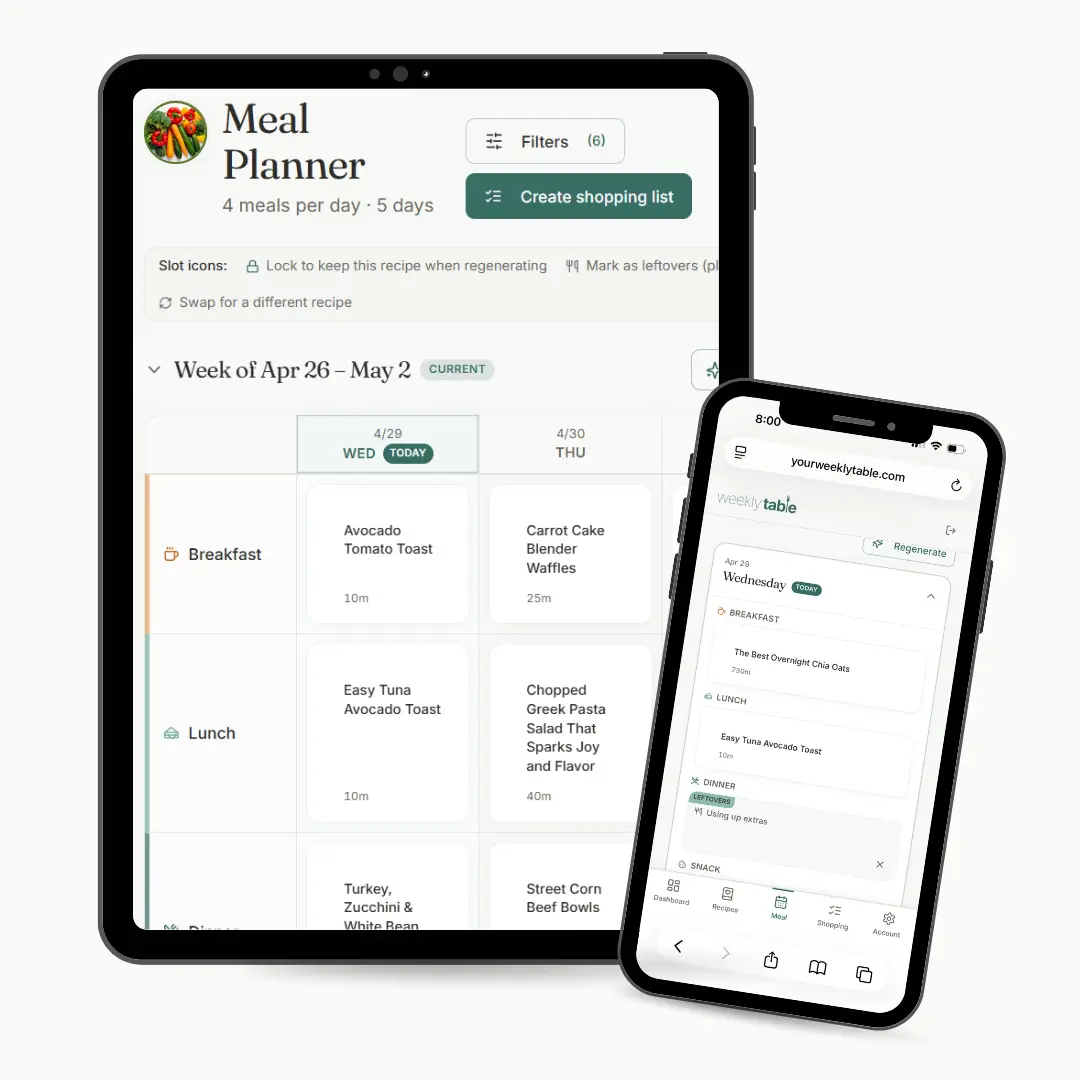
Weekly Table Meal Planner

Automatic Grocery Lists

Once you lock in your meal plan, automatically generate a shopping list. No duplicate ingredients, no manual cleanup. With smart categories, get your grocery shopping done faster.
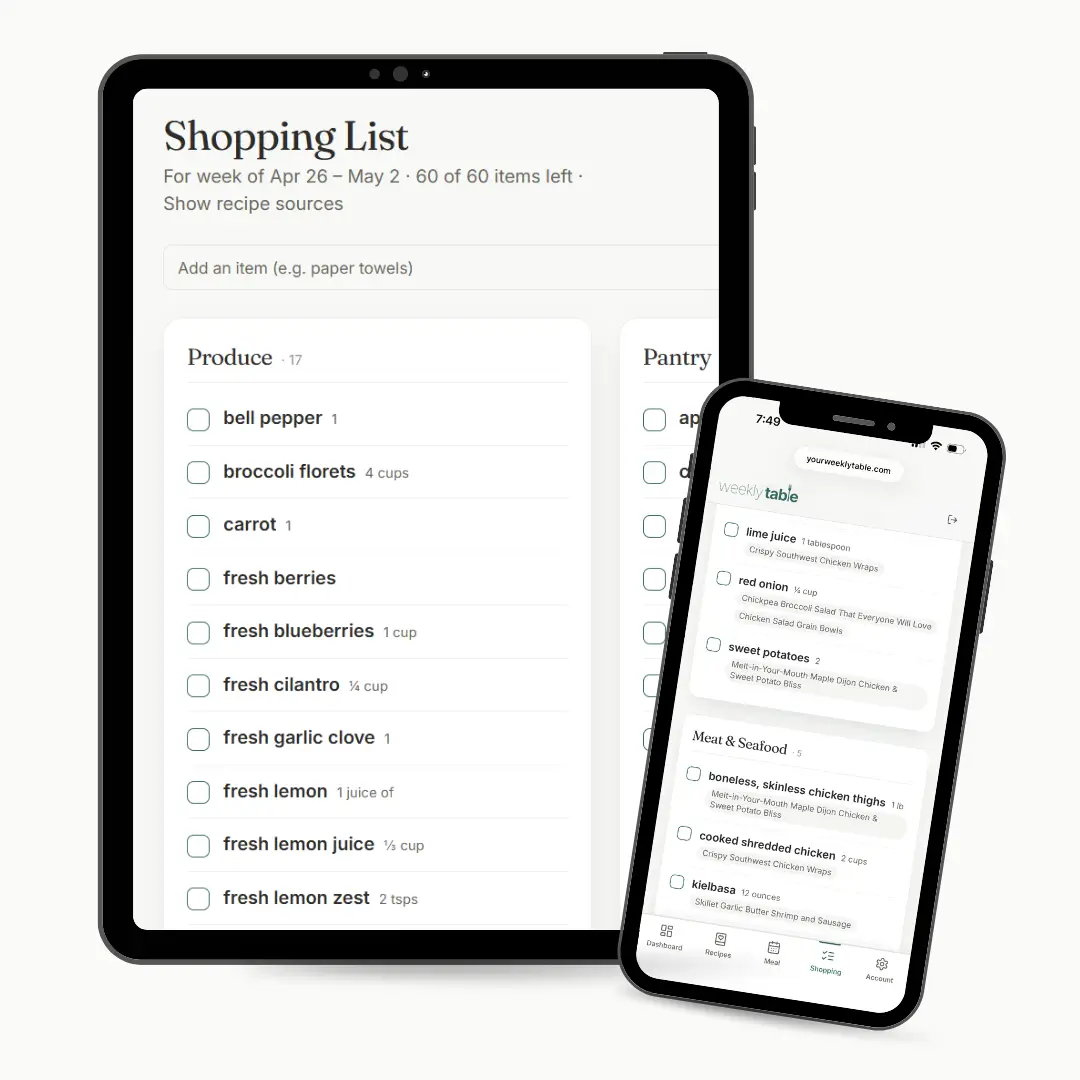
Weekly Table shopping list view sorted by aisle.

Recipe Importer

Bring in all your favorite recipes, whether you have them in your grandmother’s favorite cookbook, saved on your Pinterest board, or nestled in your email inbox. Snap it, link it, and save it with Weekly Table – so you’re ready to plan it.
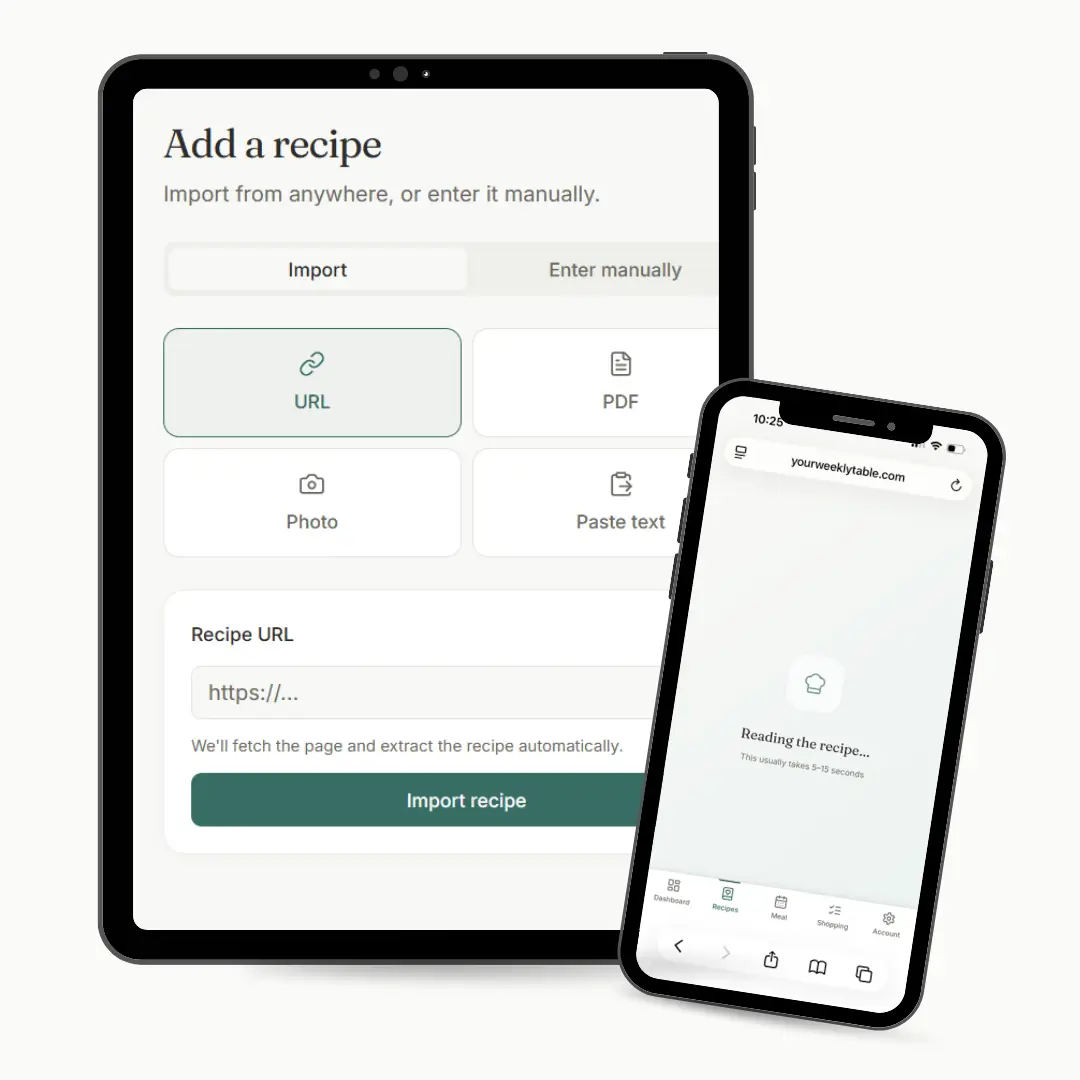
Weekly Table screen showing the add a recipe via URL, PDF, Photo, Paste text.

Cook Mode

Ready to cook? Weekly Table keeps your screen on while you cook. Check off ingredients and visually see your progress as you complete each recipe step.
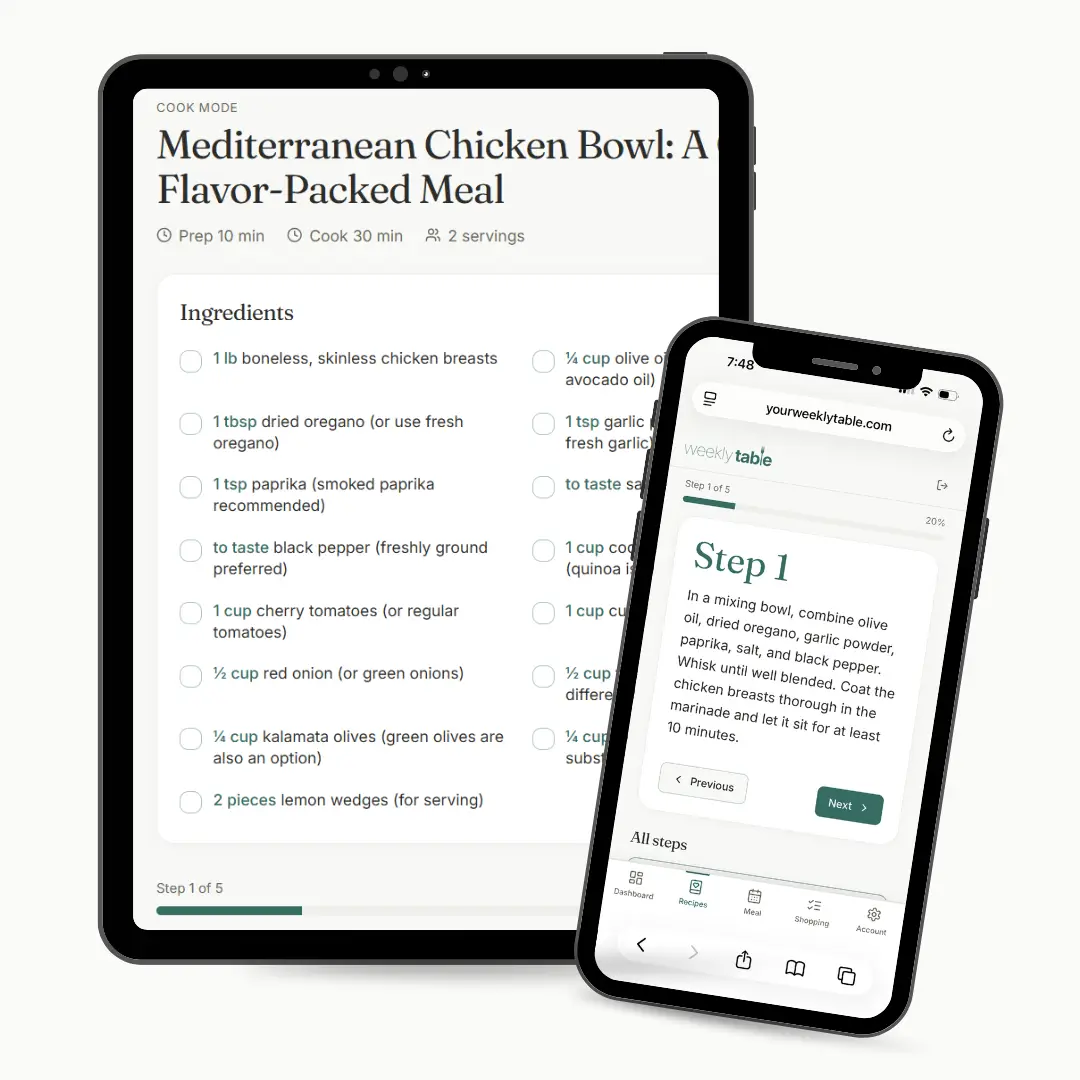
Weekly Table Cook Mode with Step-by-Step Instructions
what to know

Questions? We Have the Answers.

Can I use my own recipes?

Most meal planning fails because the plan was never yours. Someone else’s spicy seared lamb chops, or their idea of a Tuesday night. When you’re tired and it doesn’t match what’s in your fridge, you order out and tell yourself you’ll try again next week. Weekly Table builds from the recipes already in your library, plus mom-tested favorites from ours if you want them.

How long does it take to plan my week?

As soon as you finish signup, your plan for the week is ready. Nothing to build, nothing to figure out. If a meal doesn’t work, tap to swap it.

After that, your recipes turn into a plan in less than 30 seconds, one tap and it’s done. Swap, lock, or regenerate anything you don’t want.

How do I add my recipes?

Four ways without having to manually type. Paste a URL, upload a PDF, snap a photo of a cookbook page or recipe card, or copy-paste the text. Your grandmother’s pot roast, your Pinterest saves, the recipe card on your counter. They all end up in the same place.

Can I use Weekly Table on my phone?

Yes, on any device with a browser, phone, tablet, or computer. No app download needed, and you can bookmark it to your home screen so it’s always one tap away.

What are recipe packs?

Mom-approved recipes to fit your lifestyle. Family favorites, healthy meals from scratch, dinners for busy families, high protein meals, or cooking for picky eaters. Pick one when you sign up and your library is instantly built so you can have a plan ready with zero decisions.

How do I plan for varying family sizes?

Set your primary household size in your account settings. If your schedule varies night-to-night, just tap any meal on your plan to adjust the serving count on the fly. Weekly Table dynamically updates both your recipe measurements and your grocery list to match.

Are my recipes private?

Completely. Your recipe library, meal plans, and grocery lists are yours. Nobody else sees them.
notes from the group chat

Built How You Live & Eat

“It is so easy to add recipes and plan meals for the week. I am excited to see what else it can help me do!”

“I love how it generates the grocery list. It makes my planning and shopping so much easier.”

“This app is so easy and nice to use in the store real time (just did)! Very convenient to have everything in one place.”

Start your free trial.

Your plan is waiting.

(We saved you a seat our table.)