
Dinner, Decided.
We built this because we were the ones always asked “what’s for dinner.”
Now the plan answers. Every week, before the week begins.
zero decisions
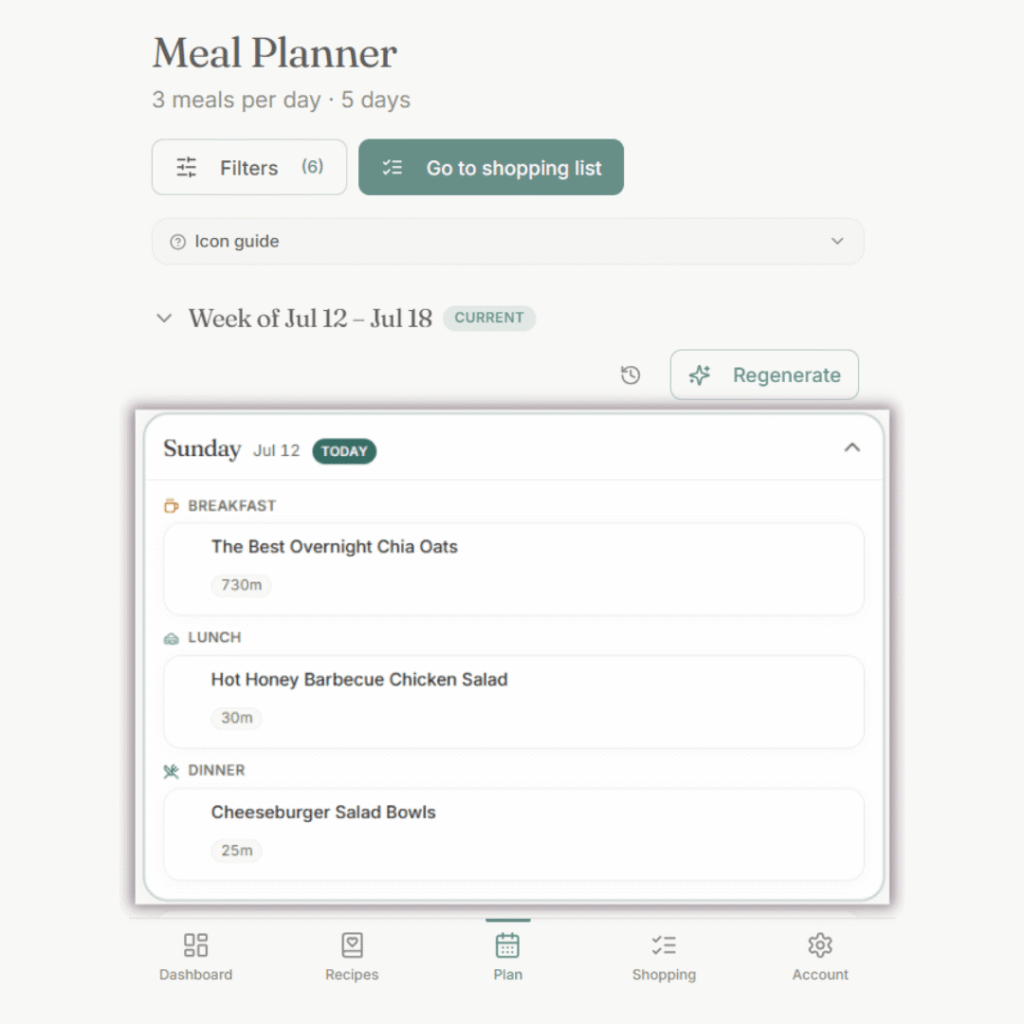
Your plan for this week? Ready.
Your first week is planned before you close the tab.
The recipes your family actually eats. The ones in your library, plus mom-tested favorites from ours.
Planned around how many nights you cook and what your family won’t eat. You review it, you don’t build it.
life happens
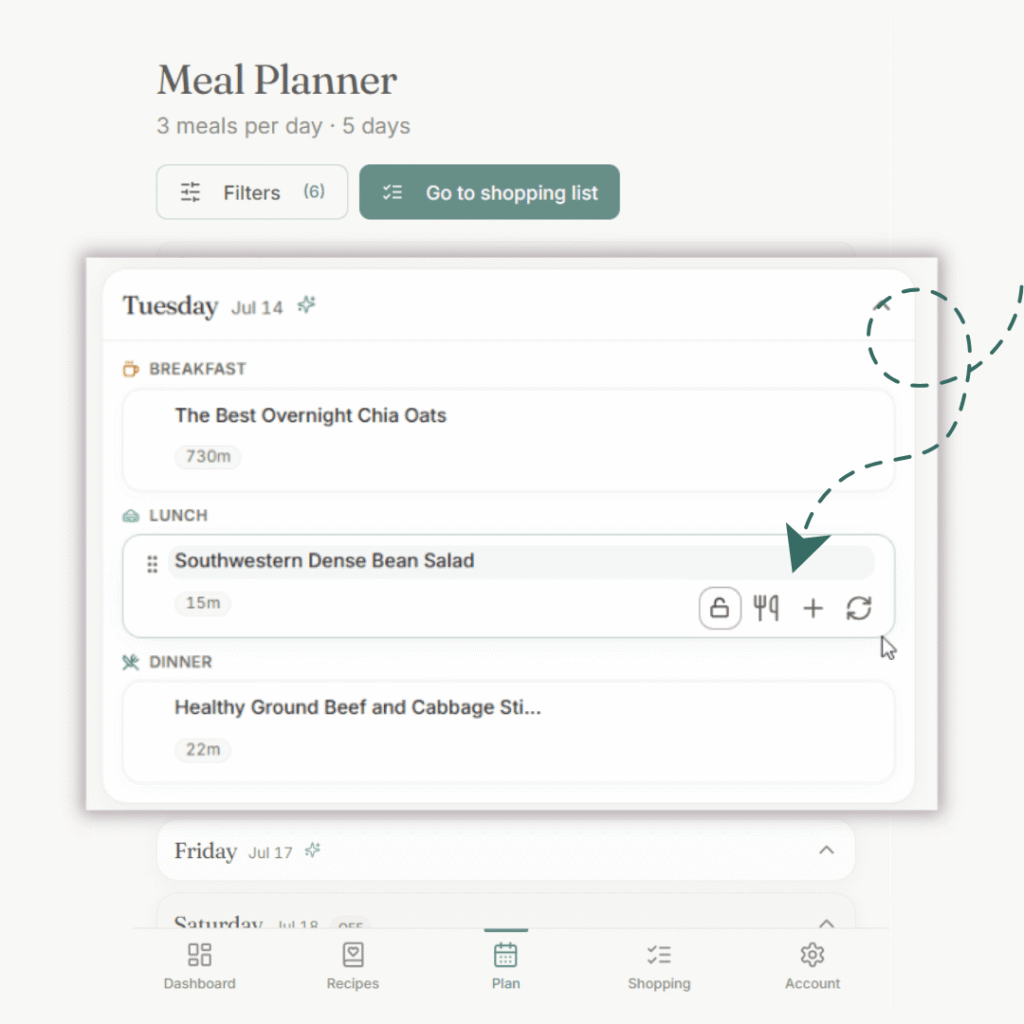
Tap to swap anything you don’t want.
Not feeling Tuesday’s dinner? Swap it.
Soccer means an early meal? Plan for leftovers.
Lock what works, adjust the rest. Regenerate one meal slot or the whole week if you want. It’s flexible because life is flexible.
save time at the store
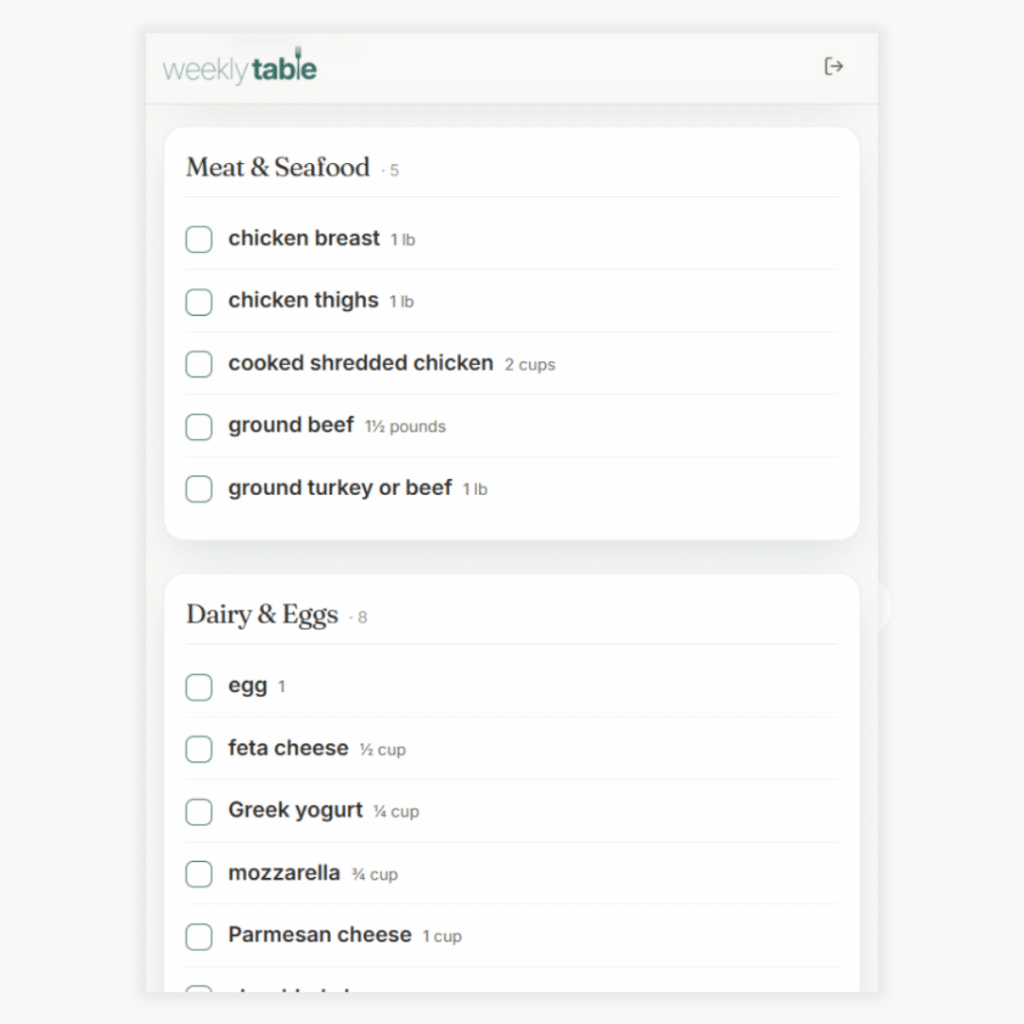
Your grocery list is built.
It writes itself from your plan.
No duplicate ingredients. No manual cleanup.
Grouped by category so you move through the store in order, checking items off as you go.
stay present
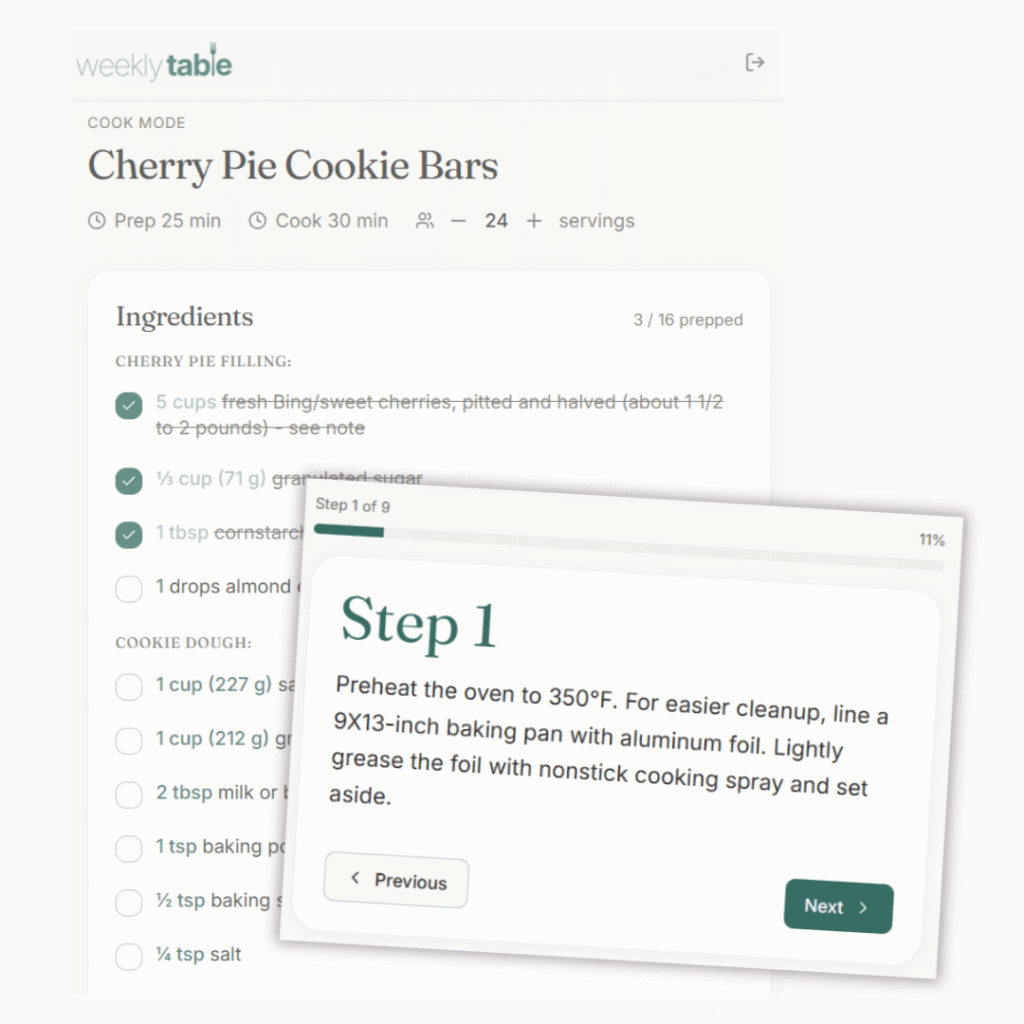
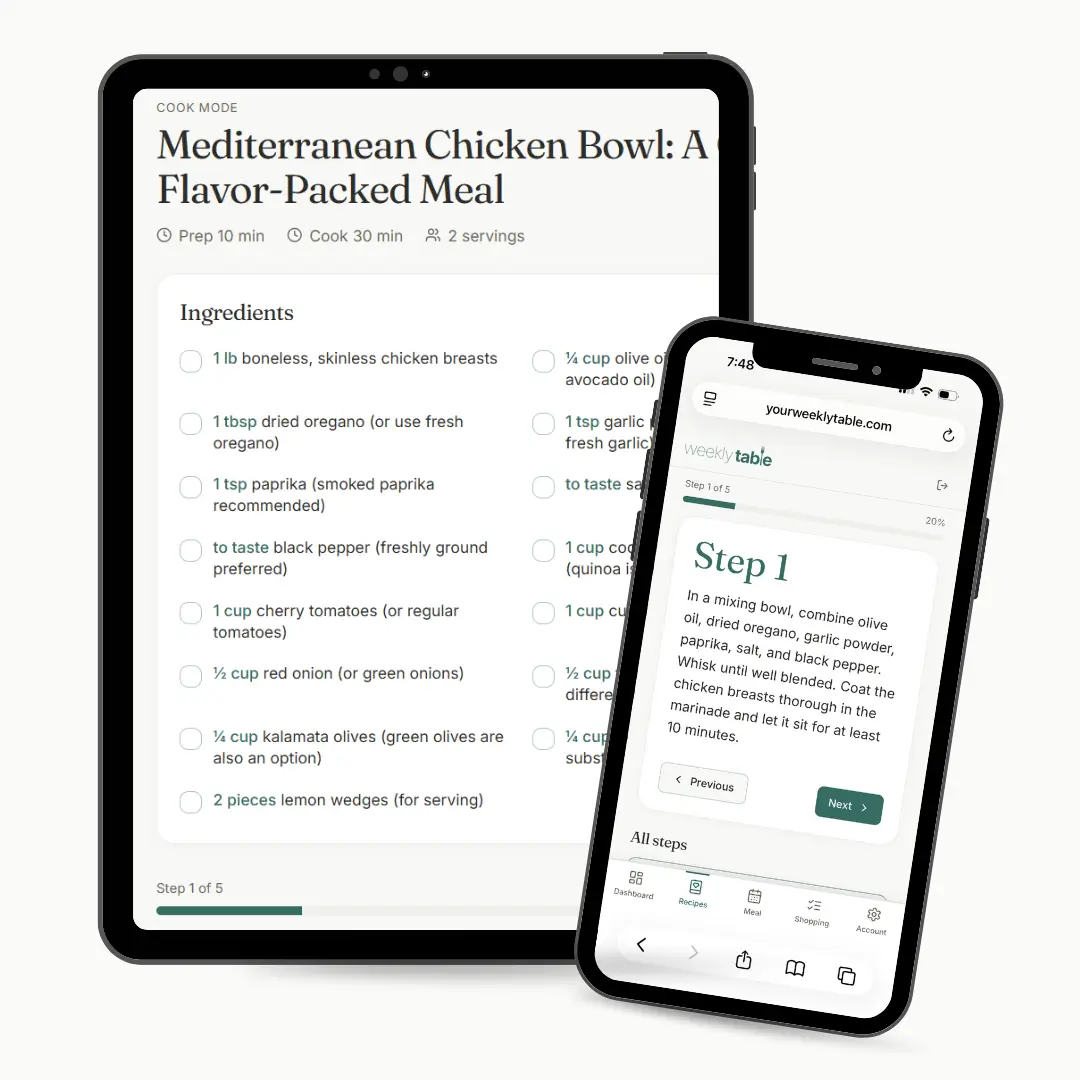
Cook mode walks you through it.
One step at a time with no ads or life stories.
Screen stays on so you’re not waking your phone with flour-covered hands.
Check off your ingredients as you prep. No scrolling back to see if you already added the salt.
in one place
Your recipes with no work.
Add your own recipes or our mom-tested favorites.
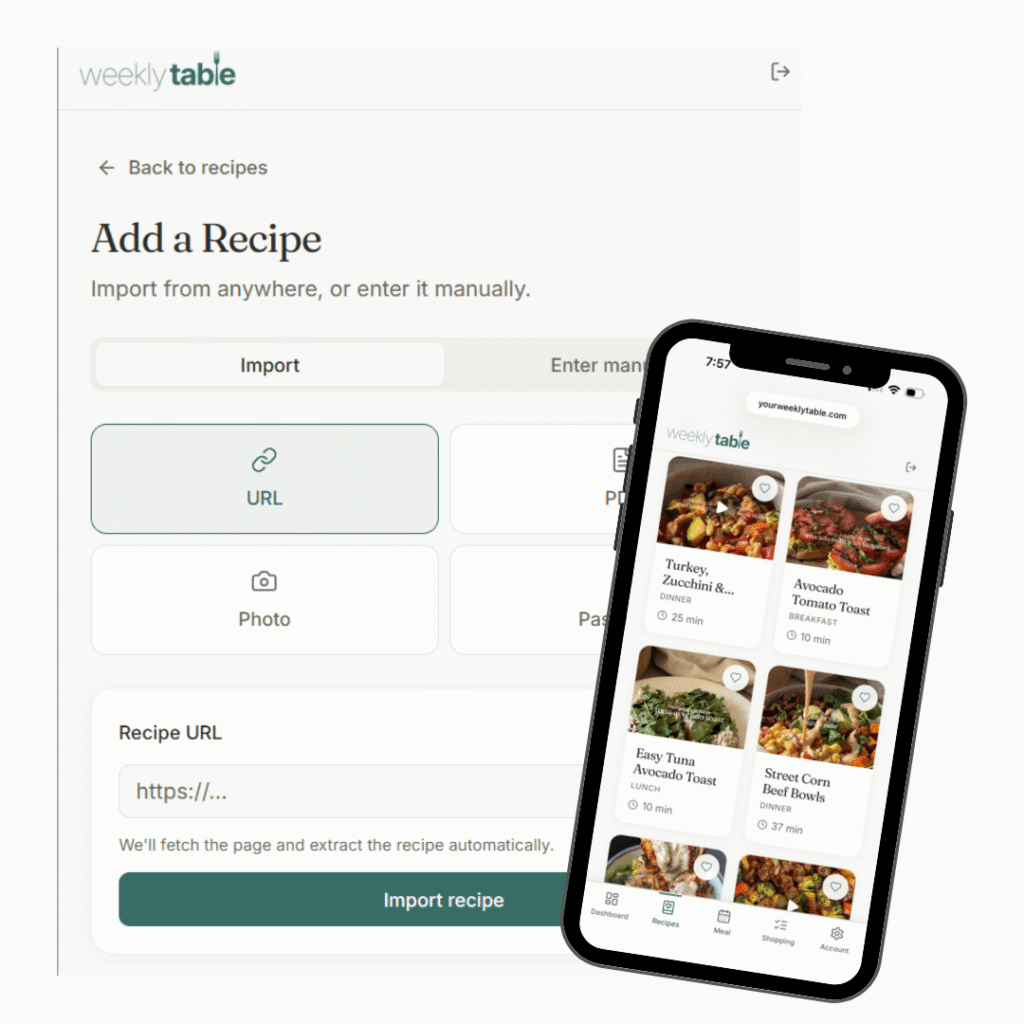
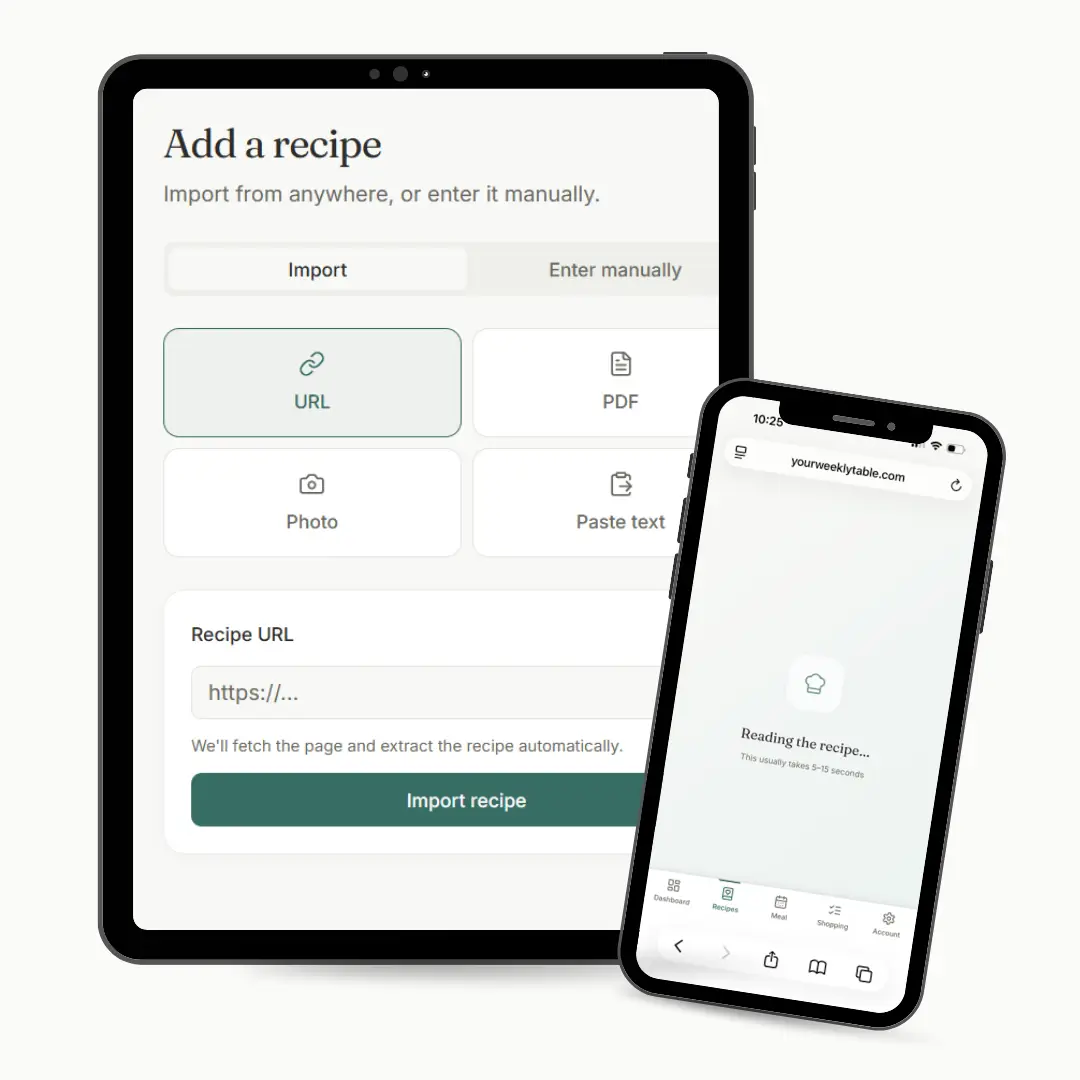
Paste a URL. Snap a photo of a cookbook page. Upload a PDF. Copy and paste the text.
Your grandmother’s pot roast, your Pinterest saves, the recipe card on your counter. Do it once. They live in one place forever.
Real Moms. Real Kitchens. Real Meals.
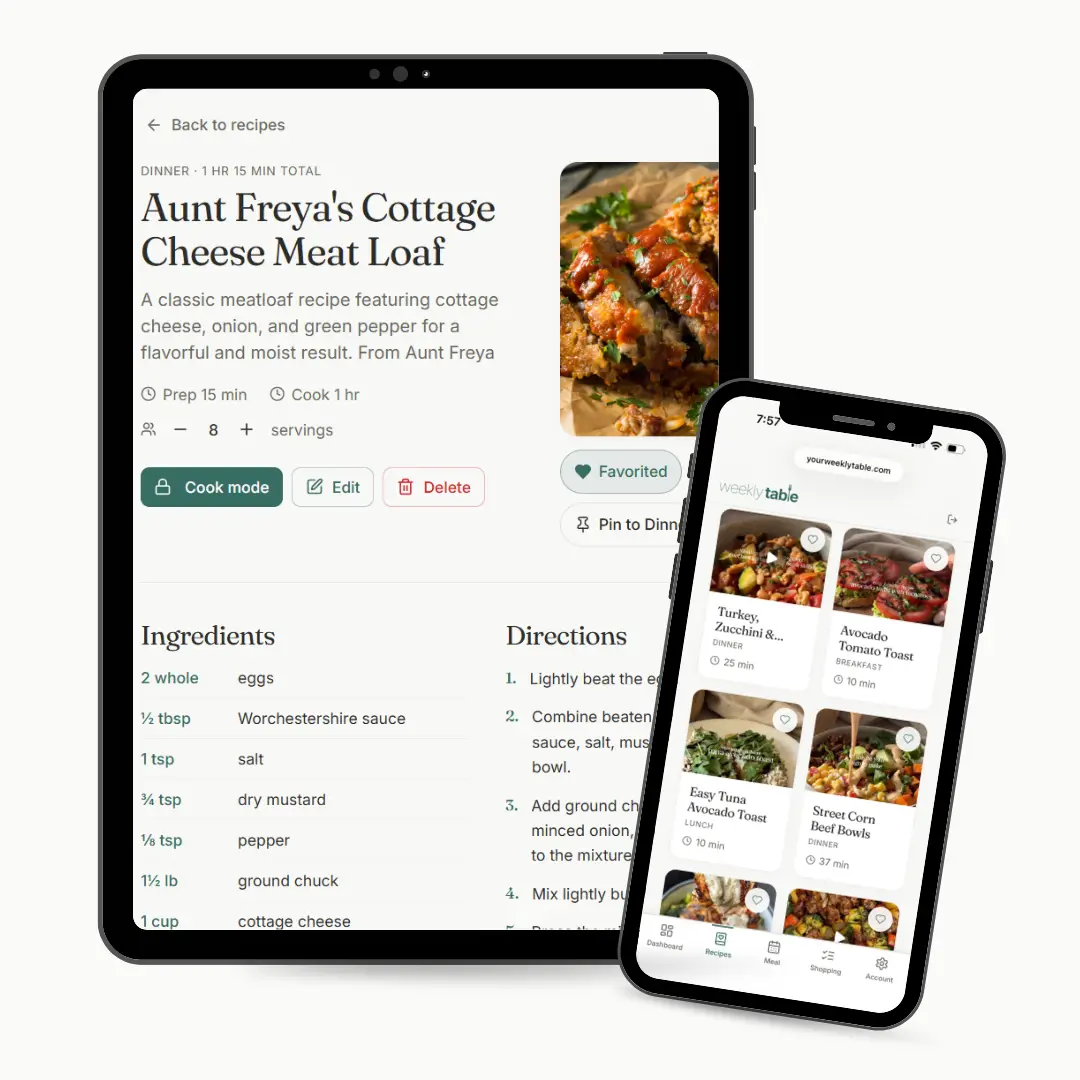
Digital Recipe Box
Looking for what to cook in your inbox, pantry, and stack of cookbooks? Simplify your life with our digital recipe box, which lets you bring in any of your favorite recipes to fuel your meal plan.
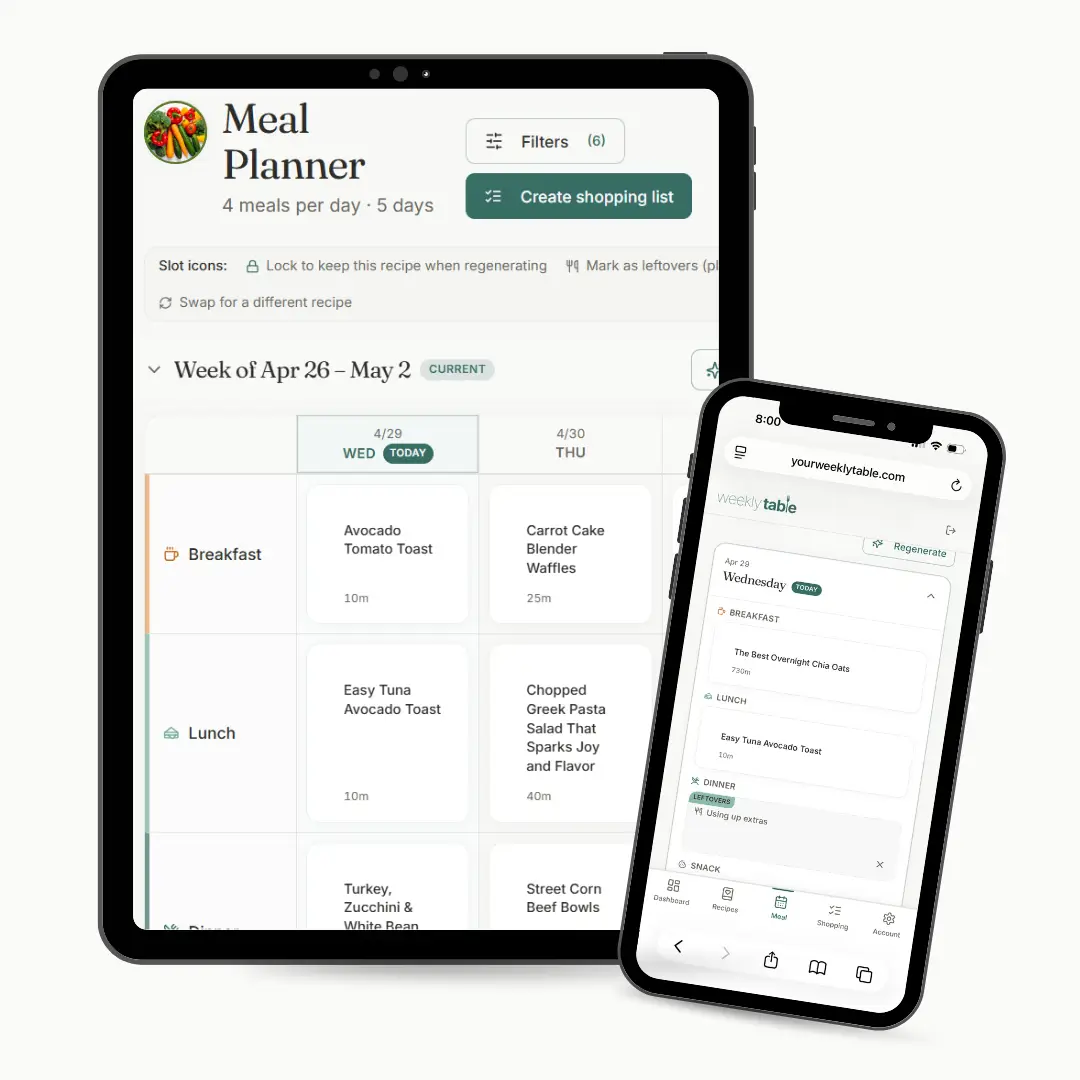
Smart Meal Plans
Build a meal plan that you can use. Our smart meal planner will take your chosen recipes and build a meal plan that hits your goals, whether you’re hoping to align with dietary restrictions, spend less time cooking, or reduce your grocery bills.
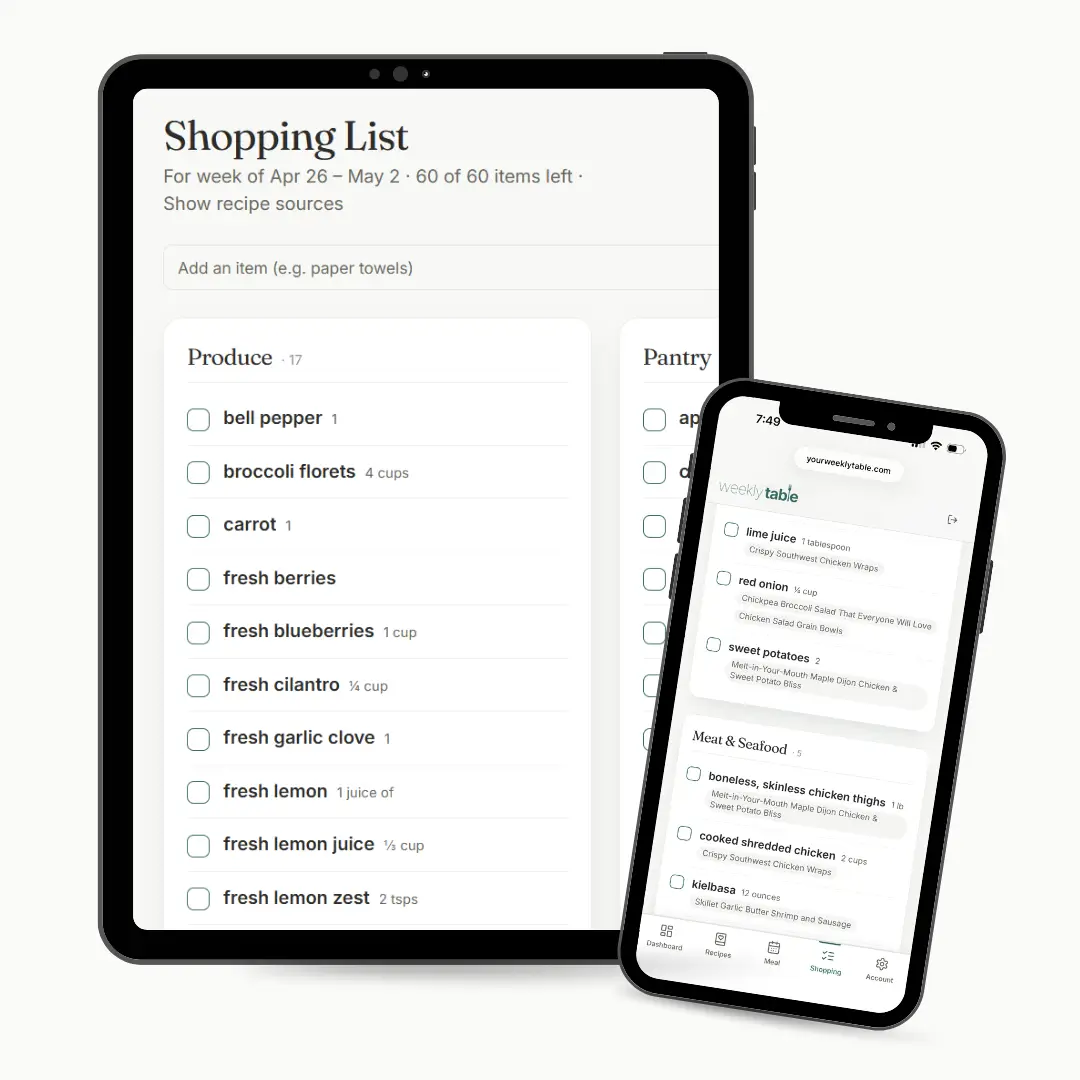
Automatic Grocery Lists
Once you lock in your meal plan, automatically generate a shopping list. No duplicate ingredients, no manual cleanup. With smart categories, get your grocery shopping done faster.
Recipe Importer
Bring in all your favorite recipes, whether you have them in your grandmother’s favorite cookbook, saved on your Pinterest board, or nestled in your email inbox. Snap it, link it, and save it with Weekly Table – so you’re ready to plan it.
Cook Mode
Ready to cook? Weekly Table keeps your screen on while you cook. Check off ingredients and visually see your progress as you complete each recipe step.
Questions? We Have the Answers.
Do I have to use someone else’s recipes?
How long does it take to plan my week?
After that, your recipes turn into a plan in less than 30 seconds, one tap and it’s done. Swap, lock, or regenerate anything you don’t want.
How do I add my recipes?
Can I use Weekly Table on my phone?
What are recipe packs?
Are my recipes private?
Pull up a chair.
You’ve been the one figuring out dinner every night. From scratch, every week, no matter what kind of day it was. Your plan is built around your family’s recipes and it’s waiting before the week begins.
Every recipe your family loves, saved and ready to pull into your weekly plan.
Your family’s favorites built into a plan in the time it takes to make your coffee.
One tap and everything you need for the week is in one list.
Your plan is there before anyone asks “what’s for dinner.”
Start your free trial, your plan is waiting.